
This information is to guide the Member Association on how to replace a team in a scheduled Competition stage.
New feature allows Competition Manager to replace Team A with Team B in Scheduled Stage Team Grid, if all conditions are met:
- Team A's matches are in DRAFT,BYE, or SCHEDULED status;
- Team A's matches have no match data - players, match events, automatic or manual disciplinary sanctions;
- Team B is already added as a Team in the Competition Team list;
 System will automatically block replacement of team if team to be replaced has match data set - player, event, etc. It will provide error message: "Make sure affected matches contain no match data in it"
 System will automatically block removal of team with Scheduled matches. It will provide error message: "Competitor is assigned as home/away competitor in some group matches"
System will automatically block replacement if team to be replaced has completed matches. It will provide error message: "Competitor has completed matches. Please revert matches to Scheduled status before replacing the team."
If Competition Manager wants to replace a team, but number of teams added to the Scheduled Competition is equal to the maximum number of teams allowed in the competition settings, we would recommend the following:
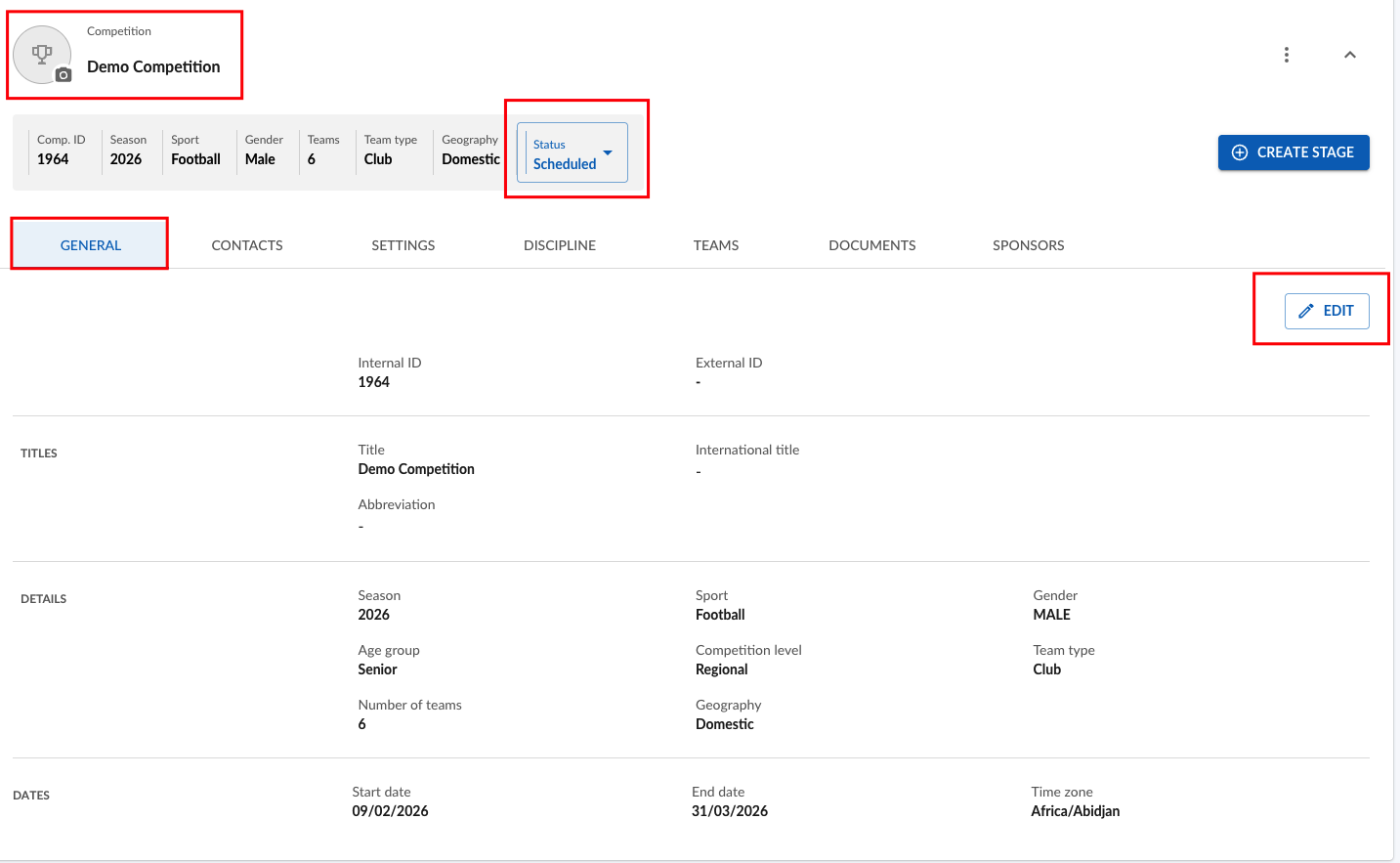
Navigate to Competition "General" tab and click "Edit".
Increase Number of Teams by how many teams might potentially be replacing already existing teams and click "Save" button.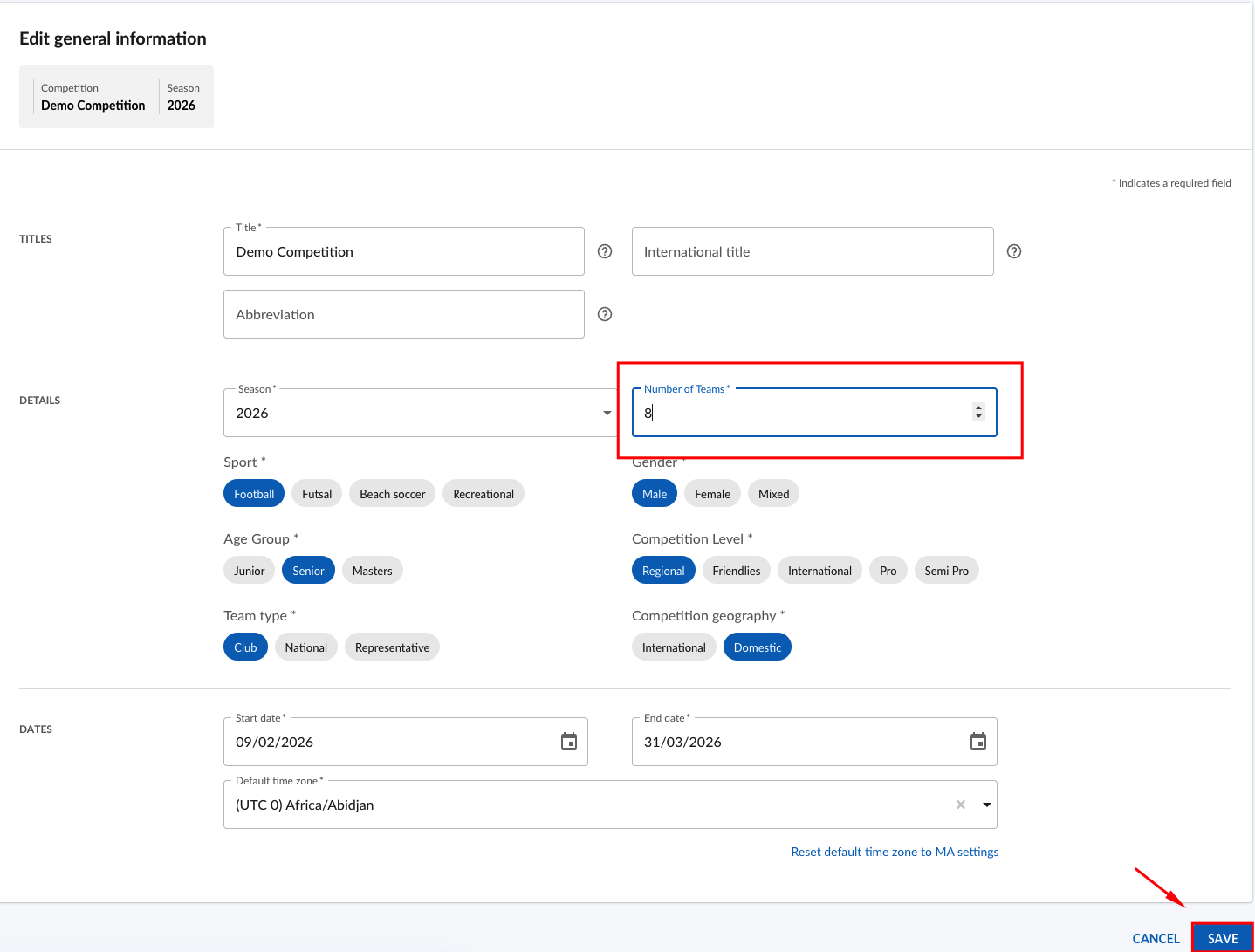
Navigate to Competition "Teams" tab.
You may now add additional teams to the competition, as you increase maximum number of teams (If required) by clicking Add Team button.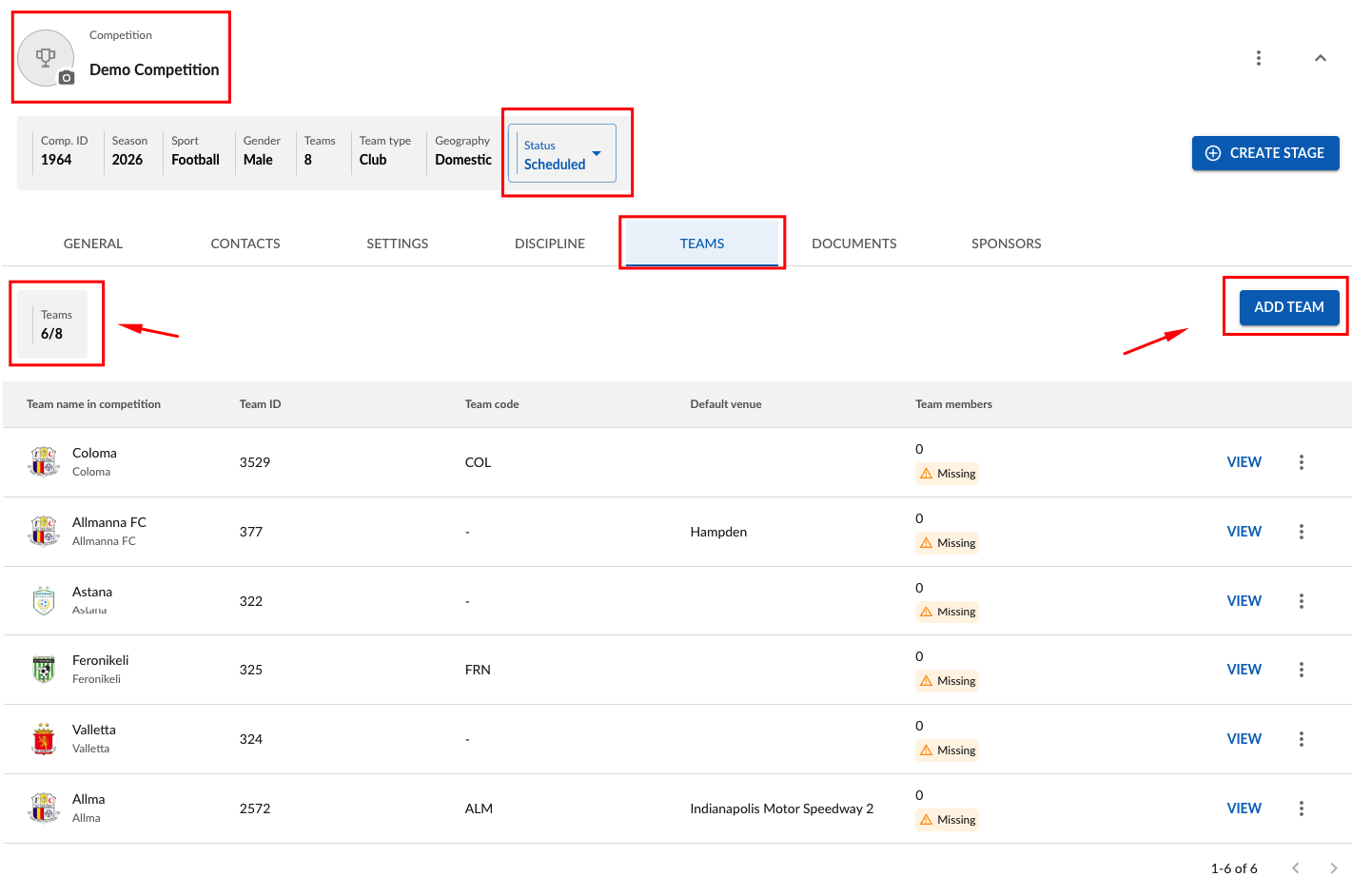 Select Team you want to add from team list or Create a new Team and click "Save".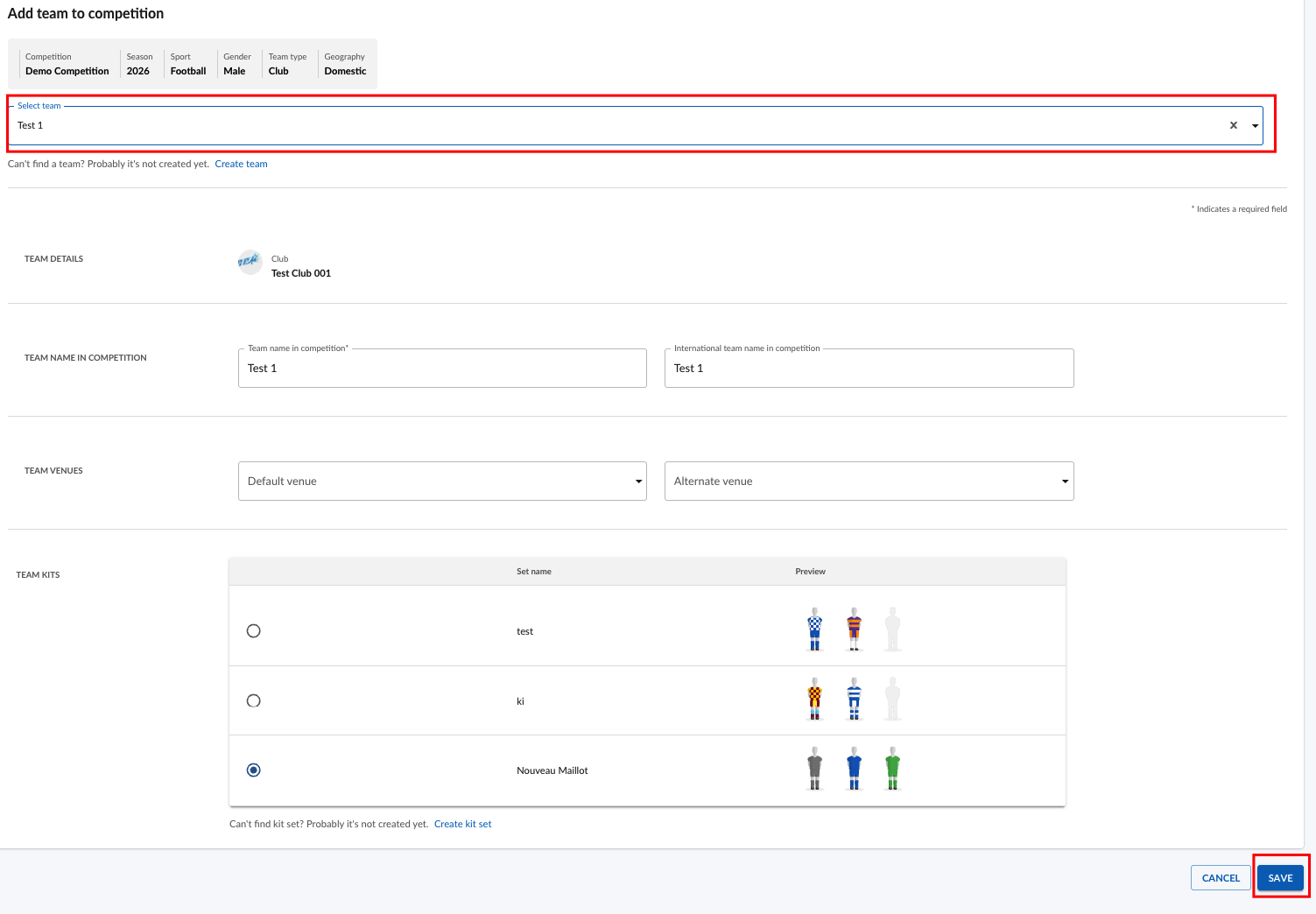
Now as you have added additional Team to the Competition, you may replace existing team with the newly added one in a required Stage Team Grid.
Click on Team Grid button.
Remove team to be replaced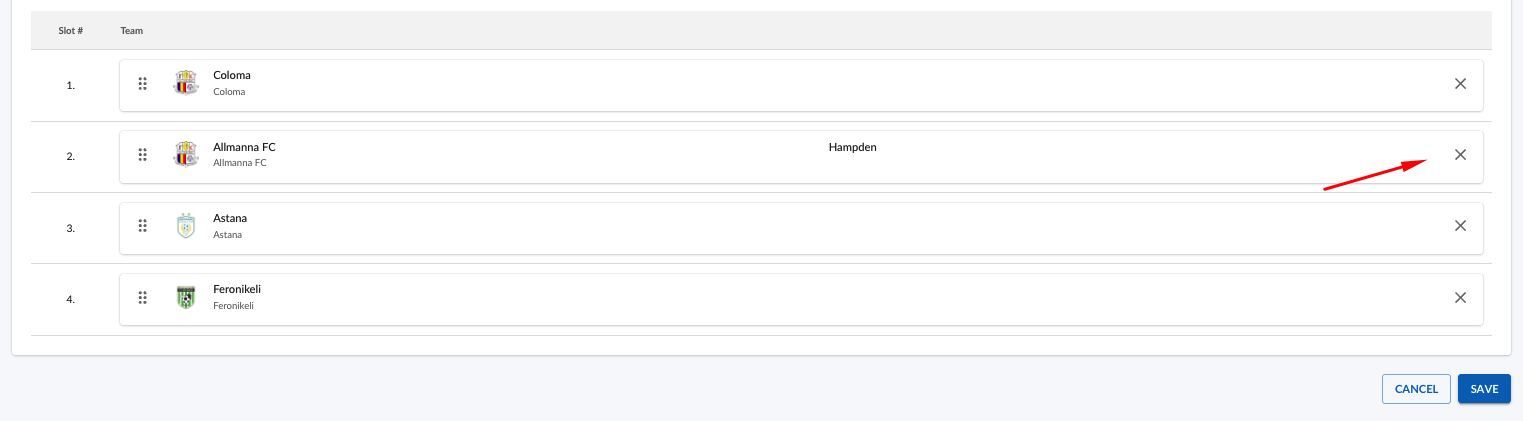
Populate new Team from the list.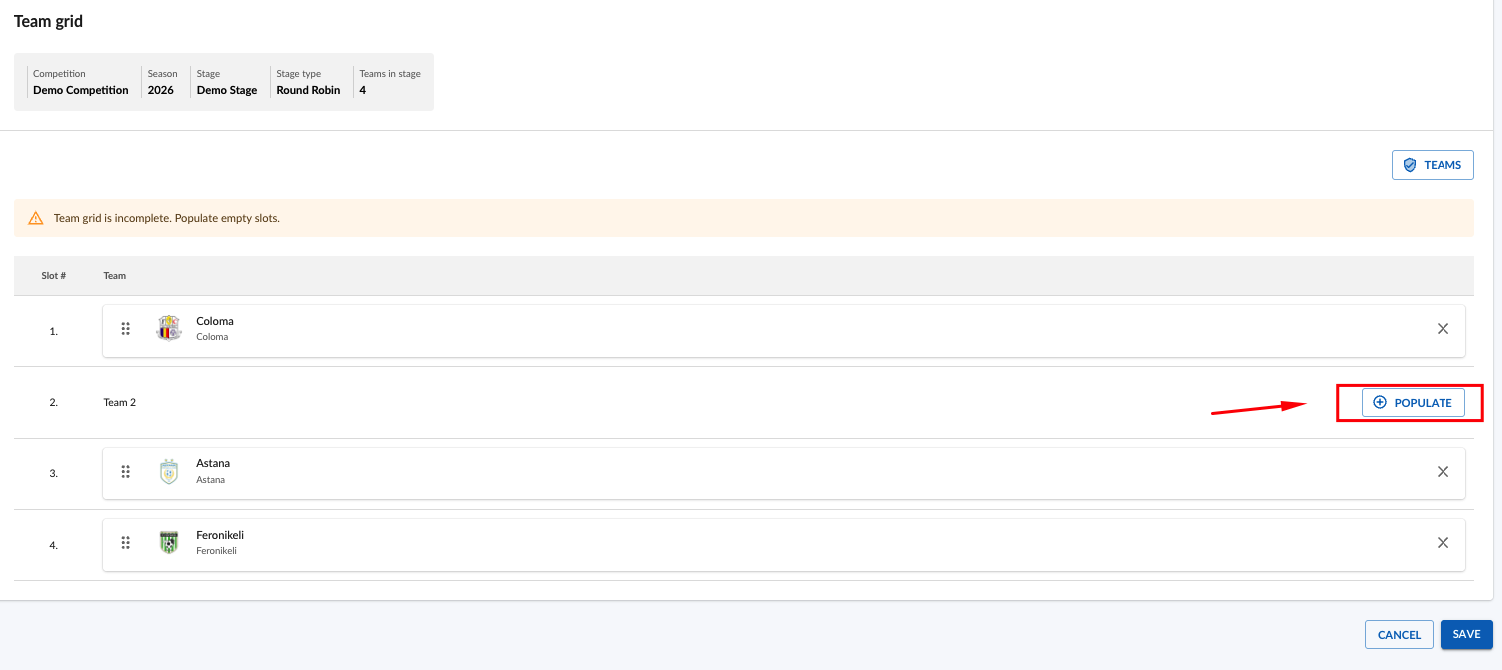
Click "Save".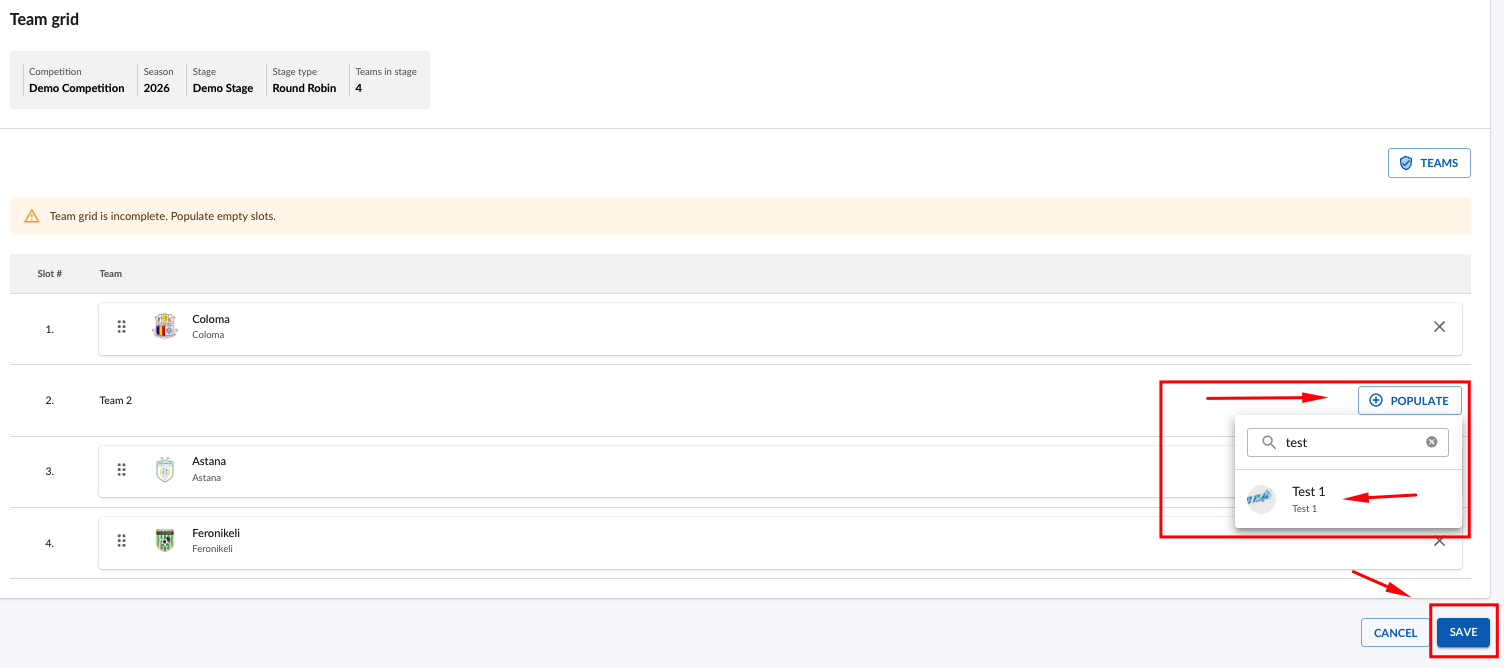
You have successfully replaced team in a Stage.

Please note - when teams are replaced and saved, home&away fixtures for that stage are updated automatically
